Buy SSL Certificates
Buy SSL Website Security From Only £24.17/yr.
SSL certificates provide essential security. Without one, your site will be marked as insecure by the major browsers and penalised by search engines.


Alpha
Wildcard SSL
£24.17 /yr ex VAT
Budget wildcard SSL that provided industry leading encryption for your website.
-
Standard Browser Padlock
Displays the standard browser padlock.
-
Domain Level Validation
Check the domain owner before issuance.
-
Secures Main Domain
Secures you main domain.
-
Secures Sub Domains
Secure all subdomains created under your main domain.
-
256-bit Encryption & 2048-bit Root
Provided industry leading levels of encryption.
-
$1,000 Warranty
Issued by Globalsign, this protects you against incorrect issuance.
Domains
Wildcard SSL
£49.17 /yr ex VAT
Domains wildcard SSL that provided industry leading encryption for your website.
-
Standard Browser Padlock
Displays the standard browser padlock.
-
Domain Level Validation
Check the domain owner before issuance.
-
Secures Main Domain
Secures you main domain.
-
Secures Sub Domains
Secure all subdomains created under your main domain.
-
256-bit Encryption & 2048-bit Root
Provided industry leading levels of encryption.
-
$10,000 Warranty
Issued by Globalsign, this protects you against incorrect issuance.
Organisation
Wildcard SSL
£74.17 /yr ex VAT
Extra security against phishing through additional organisational issuance checks.
-
Standard Browser Padlock
Displays the standard browser padlock.
-
Organisation Level Validation
Check the domain owner and company before issuance.
-
Secures Main Domain
Secures you main domain.
-
Secures Sub Domains
Secure all subdomains created under your main domain.
-
256-bit Encryption & 2048-bit Root
Provided industry leading levels of encryption.
-
$1,2500,000 Warranty
Issued by Globalsign, this protects you against incorrect issuance.
Extended
Validation SSL
£166.66 /yr ex VAT
Extended validation actives the green browser bar resulting in greater user trust.
-
Trusted Browser Padlock
Displays the trusted browser padlock.
-
Extended Level Validation
Check the domain owner before issuance.
-
Secures Main Domain
Secures you main domain.
-
256-bit Encryption & 2048-bit Root
Provided industry leading levels of encryption.
-
$1,500,000 Warranty
Issued by Globalsign, this protects you against incorrect issuance.
Prices to include VAT?
Free Setup & Installation*
Need help? We will set up and install your SSL certificate free of charge!*
Best in Class Encryption
Supporting the latest 2048-bit encryption for total security.
24x7 Support
Need help with your SSL certificate? Night or day, we are here to give a helping hand.
SSL Certificate Features
Up to $1,500,000 Warranty
Undersigned by GlobalSign, the warranty protects you against financial loss should the SSL encryption ever be broken.
Free Installation and Testing
For a hassle-free solution, we will install and test your SSL certificate for you.
Improve your Google SEO
Recent changes to Google's ranking algorithm give a higher weighting for sites with SSL certificate.
Unlimited Re-Issues
Should you ever lose your private key, we will re-issue your SSL certificate for free, upon request.
24x7 Support when you need it
Our friendly support team is never more than a phone call or live chat away should you need help with your SSL certificate.
Get the Green Bar
Build trust by upgrading to an EV certificate and your visitors will see the green trust bar when they visit your site.
Why SSL?
SSL certificates are essential for all websites. They encrypt all data moving between your website and your visitors’ browsers, ensuring sensitive information, such as personal data and payment details are kept secure. In addition, sites without SSL certificates may be classed as ‘not secure’ by browsers such as Chrome and may incur a search engine ranking penalty.
Why SSL?
Secure Encryption
Robust protection for your customers’ data
Beat Your Competitors
85% of consumers avoid non-secure websites
Be Trustworthy
Gives customers increased confidence to shop with you
All Browser Compatibility
Protects all visitors on all browsers
Sky Rocket Your SEO
Sites with SSLs rank higher in search engine results
Build your Brand Smart
Show customers you’re a brand that cares about security
Verified Sign
Search engines display padlock icons for secure sites
Anti-Phishing
Helps protect customers from fake phishing websites
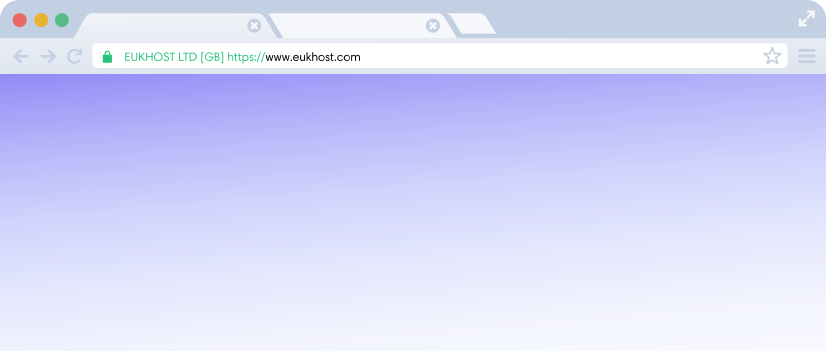
What Will my EV certificate look like in my browser? Show you mean business with an Extended Validation SSL
- Additional vetting ensures your identity and protects against scammers.
- Your visitors’ browsers will display the green bar.
- Helps support your GDPR and data protection goals.
Web Server Security
Advanced Security for Advanced Needs
In today's landscape, proactive security is essential. Our state-of-the-art security solutions include robust firewalls, server backups, website redundancy and more. Our trained security experts, meanwhile, can help you implement the right security measures for your needs.
Speak to an Expert
SSL Certificate FAQs
Frequently asked questions with answers.
What is an SSL cert and why do I need it?
An SSL certificate ensures a connection to a website is secure and authentic. It does this by acting as a trusted intermediary, ensuring the cryptographic key that encrypts communications genuinely comes from the website’s server. For this reason, web browsers will display a warning to your visitor if it is not presented with a valid SSL cert.
What is Underwritten Warranty?
Every SSL certificate we offer comes with Underwritten Warranty. This is a guarantee from the Certification Authority that if your SSL certificate is improperly issued, the Certification Authority will compensate you up to the amount it guarantees. (Note: This is not business insurance and is limited to errors with SSL cert. issuance only.)
What is a Wildcard SSL certificate?
Wildcard SSL certificates allow you to use the same certificate on multiple subdomains. For example, if you want to secure www.example.com, forums.example.com and billing.example.com, it will be easier and, in many cases, more cost-effective to purchase a Wildcard SSL certificate where you can simply use the same SSL certificate to secure your entire website.
Do I need to include/exclude the 'www' prefix?
All of our single-domain SSL certificates secure both example.com and www.example.com, so there is no need to worry about buying separate SSLs for each. However, if you want to secure multiple subdomains (like billing.example.com, forums.example.com and blog.example.com), you'll need to purchase a Wildcard SSL certificate. See the previous FAQ for more information.
What is the Secure Site Seal?
With a Secure Site Seal badge on your website, you can let your visitors and potential customers know your online business is a safe and secure destination for making purchases and submitting sensitive information, with your visitor traffic being secured over HTTPS with a valid SSL certificate from a leading and trustworthy Certification Authority.
Do I need a Dedicated IP with my SSL cert?
Some obsolete software does not support a TLS extension called Server Name Indication (SNI), which helps your browser or device identify which domain the secure connection is to be established with. This becomes necessary when an IP is shared across multiple domains. Unless you need to support obsolete software that does not support SNI, a dedicated IP is not needed.
What is an SSL certificate used for?
An SSL certificate is used to encrypt data as it travels between a users’ browser and your website, ensuring that personal and payment information cannot be stolen in transit.
How do you know if a site is secured?
A site’s SSL security is indicated by a padlock icon being displayed in the address bar of a visitor’s browser.
Which SSL certificate do I need?
This depends on the needs of different organisations. If you just need to secure a website, a domain SSL will usually suffice. However, if you want to secure multiple subdomains, a wildcard SSL will cover them all cost-effectively. Organisations wanting to provide more robust encryption or establish greater trust might prefer to choose organisation wildcard or extended validation SSLs.
What types of SSL certificates are provided by eukhost?
If you wish to buy SSL certificates, eukhost provides four different types: Alpha Wildcard, Domain Wildcard, Organisation Wildcard and Extended Validation.
What is the importance of a green address bar?
Unmissable to the eye, a green address bar makes an organisation’s SSL security credentials even more obvious to users, reinforcing that your site is secure and trustworthy.
What are the benefits of having an SSL certificate on my website?
With higher rankings from search engines, an SSL certificate will likely bring more traffic to your site. What’s more, the padlock icon or green address bar gives those new visitors increased confidence to buy from you.
How do visitors know if I am using an SSL certificate? Or about what kind of SSL certificate is used?
If you have an SSL for website security, a browser will display a padlock icon in the address bar. If you have an Extended Validation SSL certificate, the address bar will be green.
Are SSL certificates compatible with all web browsers?
The SSL Certificates sold by eukhost are compatible with all browsers.
What is CSR? Do you provide it with the SSL certificate?
Yes, we do provide a CSR for your SSL certificate. In fact, you need a CSR (certificate signing request) in order to install an SSL certificate for your website.
How long will it take for my SSL certificate to become active?
Not very long at all. Once your SSL has been installed, it usually takes just a few hours to become active and for the padlock icon to appear on browsers.
Will you provide assistance in installing the SSL certificate?
Absolutely, in order to ensure your SSL security, we will install your SSL for you and test it to make sure it is working properly. What’s more, if you have problems with it after installation, our support teams are there to help you out, 24/7.
Can I use one SSL certificate for securing multiple websites?
You need a separate SSL certificate for each domain. However, if you have multiple subdomains on your website, a wildcard SSL certificate will secure both the main website (e.g., example.com) and subdomains (e.g., forums.example.com).
Free Setup & Installation*
If you need help with the setup and installation of a SSL purchased from us, our team are available around the clock to help. You accept that there is a possibility that your website or server configuration can cause SSL errors or downtime, we will do our best to help diagnose but accept no responsibility for this.
Ready For Amazing Hosting?Contact our team now
Our product experts are available to help you find the perfect solution for your organisation. We are available via live chat 24x7 or by phone from 9 am to 5 pm (GMT), Monday to Friday.


Our Accreditations
Committed to your data security