
Mail forwarding lets you automatically redirect emails from one address to another. This guide explains how to configure mail forwarding in Plesk.
To configure email forwarding, follow these steps:
- Log in to Plesk.
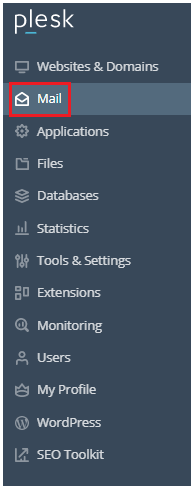
- From the left-hand side, select the “Mail” option.
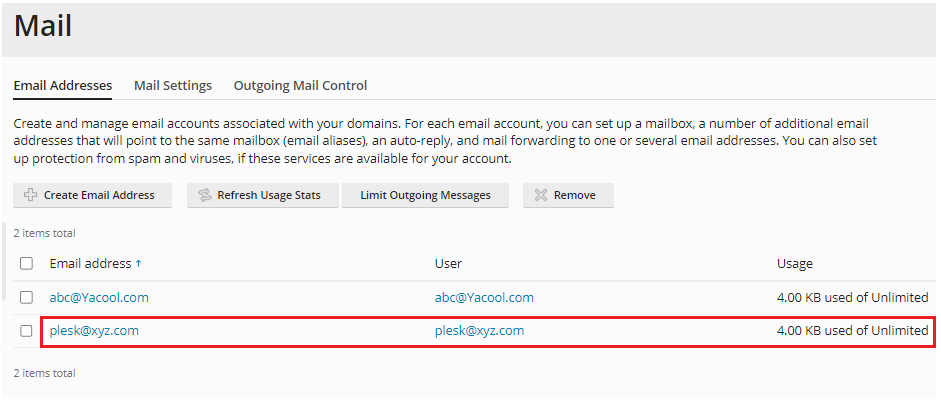
- Then select the email address from the list given.
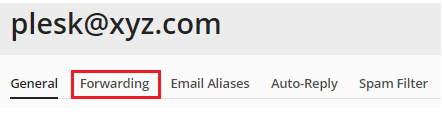
- At the top of the screen, there are a few tabs. Select the “Forwarding” tab.
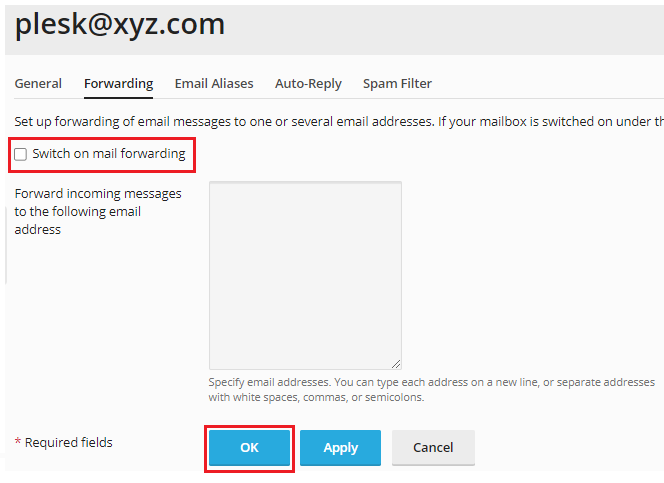
- Tick the “switch on mail forwarding” option.
- Choose the email accounts to which messages should be forwarded. Separate email addresses with white spaces, commas, or semicolons, or enter each one on a separate line.
- Then click the “OK” button.
This guide should help you understand and configure email forwarding in Plesk. You can also enable forwarding for multiple email accounts at the same time.
For more information on Plesk, WHM, cPanel, and related topics, refer to our Knowledge Base. If you need further assistance, our eukhost technical support team is available 24/7.