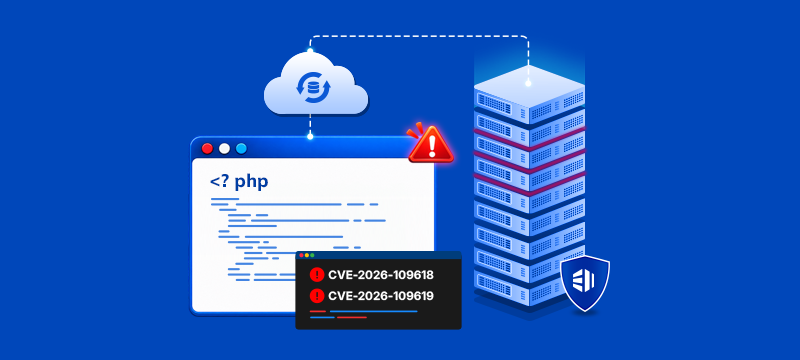
On 21 October 2026, the PHP development team released emergency security updates addressing two critical vulnerabilities, collectively known as PHP2Shell.
The vulnerabilities, identified as CVE-2026-109618 and CVE-2026-109619, could potentially allow attackers to execute malicious code remotely on affected servers.
Both cPanel and Plesk have released security updates to address these vulnerabilities, including fixes for certain older PHP versions. CloudLinux has also released backported security patches covering older PHP versions through its supported PHP packages.
At eukhost, we have been actively monitoring the situation, implementing additional security measures ahead of the official patches, and overseeing the rollout of security updates across our hosting infrastructure.
The action you need to take depends on whether you use our Shared Hosting services, a Managed VPS, Cloud or Dedicated Server, or a self-managed server.
What is PHP2Shell?
PHP2Shell refers to two critical vulnerabilities affecting PHP, the programming language used by millions of websites, including WordPress and many other popular web applications.
These vulnerabilities could potentially allow an unauthorised attacker to execute malicious code on an affected server without requiring valid login credentials.
The PHP development team released the following patched versions on 21 October 2026:
- PHP 8.2.35
- PHP 8.3.36
- PHP 8.4.27
- PHP 8.5.12
Security fixes have also been made available by software vendors for older PHP versions.
The discovery of these vulnerabilities does not necessarily mean that your website has been compromised. However, the potential impact is serious, and applying the appropriate security updates should be treated as a priority.
Further information is available from the official PHP website.
Shared Hosting Customers – What We Have Done
For customers using our Shared Hosting services, eukhost manages the underlying hosting infrastructure, including server-level security updates.
Our shared hosting infrastructure is protected by our own Web Application Firewall (WAF).
Following the announcement of these vulnerabilities, we deployed security rules designed to mitigate potential attacks as soon as they became available. We also implemented further mitigation measures to provide additional protection.
With security patches now released by the relevant software vendors, we are actively monitoring the rollout of automatic updates across our shared hosting infrastructure to ensure the necessary patches are applied.
Do Shared Hosting Customers Need to Take Action?
No action is required from Shared Hosting customers in relation to these server-level security updates. Our technical team is managing the necessary patches and security measures on your behalf.
Managed VPS, Cloud and Dedicated Servers
For customers using our Managed VPS, Cloud or Dedicated Server services, we proactively applied the recommended security mitigations across our managed server estate, where appropriate, before the official security patches became available, to help reduce the risk posed by these vulnerabilities.
Both cPanel and Plesk have now released security updates addressing these vulnerabilities. CloudLinux has also released patched packages for older PHP versions.
Automatic control panel and PHP security updates are enabled by default on our Managed VPS, Cloud and Dedicated Servers, unless customers have changed or disabled these settings.
We are actively monitoring the rollout of the relevant security patches across our managed server estate to ensure updates are applied successfully.
cPanel and WHM
cPanel has released security updates for its EasyApache PHP packages and cPanel & WHM software.
These include fixes for currently supported PHP versions, along with backported security fixes for older releases, including PHP 7.4, 8.0 and 8.1.
Where automatic updates are enabled and the relevant packages are supported, these security fixes should be installed through the normal update process.
Plesk
Plesk has also released security updates addressing the vulnerabilities in PHP versions used by hosted websites.
These include patched PHP packages for supported versions on Linux and Windows, as well as backported fixes for certain older versions on Linux, including PHP 7.4, 8.0 and 8.1.
Plesk has additionally released updates for the PHP component used internally by the control panel.
As with cPanel, patches should be installed through the normal update mechanisms where automatic updates are enabled and the relevant packages are supported.
Servers Running CloudLinux
For servers running CloudLinux, additional security updates are available for older PHP versions through CloudLinux’s PHP packages.
CloudLinux has released backported fixes addressing these vulnerabilities for its ALT-PHP packages, covering PHP versions from 5.2 through 8.5 on supported CloudLinux platforms.
These updates allow websites using older PHP versions to receive security fixes without necessarily having to upgrade to a newer PHP version immediately.
CloudLinux has also released security updates for its EasyApache PHP packages used with cPanel.
However, running CloudLinux does not automatically confirm that a particular PHP installation has been patched. The relevant updated packages must be installed, and the availability of fixes depends on the PHP packages and operating system in use.
Although CloudLinux provides extended security maintenance for older PHP versions, this should not be viewed as a permanent alternative to upgrading.
We strongly recommend that customers plan to move their websites and applications to officially supported PHP versions wherever possible, as continued security patching for older versions cannot be guaranteed indefinitely.
What Should Managed Server Customers Do?
As automatic security updates are enabled by default, our technical team is actively monitoring the rollout of the necessary patches across our managed server estate.
If you have disabled automatic updates or modified your server’s update configuration, you should ensure that the necessary PHP security patches are installed as soon as possible.
We also recommend checking which PHP versions your websites and applications are using.
For customers running CloudLinux, older PHP versions may already have vendor-provided security patches available. You should ensure that the appropriate CloudLinux packages have been updated.
Regardless of whether your PHP version currently benefits from extended security support, we strongly recommend moving to an officially supported PHP version wherever possible.
If you are unsure whether your server has received the necessary patches, please contact our support team.
Self-Managed VPS, Cloud and Dedicated Servers
If you operate a self-managed server, you are responsible for maintaining and updating the server’s operating system, PHP installations, control panel and other software.
Although cPanel, Plesk and CloudLinux have released security updates, you should not assume these have already been installed.
We strongly recommend that you:
- Check which PHP versions are installed and being used by your websites.
- Install the latest security updates provided by your operating system, cPanel, Plesk or PHP vendor.
- Confirm that all affected PHP installations have received the necessary security fixes.
- Review any older or unsupported PHP installations and plan upgrades where appropriate.
If you are running CloudLinux, ensure that the relevant ALT-PHP, EasyApache or operating-system PHP packages have been updated. Some older versions have received backported security fixes, but these must still be installed to address the vulnerabilities.
If your server is running an unsupported operating system or software version, you may need to consider upgrading or using an appropriate extended security support service.
Given the critical nature of these vulnerabilities, we recommend applying the relevant security patches as soon as possible.
How to Check Which PHP Version Your Websites Are Using
If you have your own VPS, Cloud or Dedicated Server, different websites hosted on the same server can use different PHP versions.
We recommend checking each website, particularly if you have older applications that may still be using unsupported PHP releases.
Checking PHP Versions in cPanel and WHM
If you have administrator access to WHM, you can review the PHP versions configured for websites across your server.
- Log in to WHM.
- Navigate to Software > MultiPHP Manager.
- Select User Domain Settings.
- Review the PHP Version column for each domain.
If a domain is set to Inherit, it normally uses the server’s default PHP version, unless another applicable configuration overrides it.
You can check the server’s default PHP version under MultiPHP Manager > System Settings.
Alternatively, individual cPanel users can check their assigned PHP versions through cPanel > Software > MultiPHP Manager.
If your server uses CloudLinux PHP Selector, the selected PHP version may instead be managed through that interface.
Checking PHP Versions in Plesk
If you use Plesk, you can check the PHP version configured for each website.
- Log in to Plesk.
- Navigate to Websites & Domains.
- Locate the website you want to check.
- Click PHP or PHP Settings.
- Review the PHP version field.
Repeat these steps for any additional websites or subdomains hosted on your server.
These instructions apply to Plesk for both Linux and Windows, although the PHP versions available may differ.
Important: Checking your PHP version does not change your website’s configuration. It also does not confirm whether the latest security patches have been installed.
Are You Using an Unsupported Version of PHP?
PHP versions 8.1 and earlier are no longer supported by the PHP development team and do not receive official security updates.
However, this does not necessarily mean that every installation of an older PHP version is unpatched.
Some hosting software vendors and commercial extended-support providers, including CloudLinux, maintain older PHP versions and provide backported security fixes.
For the PHP2Shell vulnerabilities, CloudLinux has released fixes for older PHP versions, including its ALT-PHP packages covering versions from PHP 5.2 through PHP 8.1.
This means that a website running an older PHP version may still be protected against these specific vulnerabilities, provided the relevant updated packages have been installed.
However, there is an important distinction between receiving vendor-provided security updates and running a PHP version that is officially supported by the PHP development team.
While extended-support providers may continue releasing security fixes for older PHP versions, there is no guarantee that every future vulnerability will be addressed or that such support will remain available indefinitely.
For this reason, we strongly recommend that customers running PHP 8.1 or earlier plan to upgrade to an officially supported PHP version, preferably PHP 8.3 or later, as soon as compatibility allows.
Using a supported PHP version provides a more sustainable approach to maintaining the security of your website or application.
Should You Change Your Website’s PHP Version?
If your website is using an older PHP version, upgrading to a supported release is strongly recommended.
However, changing PHP versions can affect website functionality, particularly if your website uses older applications or custom code.
Before changing your PHP version, we recommend:
- Checking that your website and applications support the newer PHP version.
- Taking an appropriate backup.
- Testing the upgrade, ideally in a staging environment where available.
- Checking that your website continues to function correctly after the change.
Where security patches have been backported to an older PHP version, upgrading the main PHP version may not be necessary to address these particular vulnerabilities.
For customers using CloudLinux, there is therefore no need to rush into changing PHP versions solely because an older version number is displayed, provided the relevant security patches have been installed and verified.
Nevertheless, moving to a supported PHP release remains the recommended longer-term approach, as future security fixes for older versions cannot be guaranteed.
What About WordPress and Other Website Applications?
PHP2Shell affects PHP itself rather than a specific WordPress plugin, theme or application.
Updating WordPress or its plugins will not, on its own, resolve a vulnerability in the underlying PHP installation.
However, keeping your website software up to date remains an important part of maintaining a secure hosting environment.
If you are planning to upgrade to a newer PHP version, you should ensure that your website’s applications are compatible before making the change.
Need Help or Further Information?
Our technical team continues to monitor developments and the deployment of relevant security updates.
For Shared Hosting customers, we manage the necessary server-level updates and security measures. No action is required from you for these updates.
For Managed VPS, Cloud and Dedicated Server customers, we applied recommended security mitigations where appropriate before the official patches became available and are actively monitoring the rollout of security updates. Automatic updates are enabled by default unless customers have changed or disabled these settings.
For Self-Managed Server customers, responsibility for server software updates remains with the customer.
If you are unsure which PHP version your website is using, whether your server has received the necessary patches, or what action you need to take, please contact our 24/7 support team.
You can also follow our service status page for further updates.
Author

Related Articles
Backup vs Snapshot vs Disaster Recovery: What Does Your Business Actually Need?
Why Server Updates Matter: Lessons from a Week of Major Vulnerabilities
Top Cybersecurity Threats In 2026 and How to Protect Your Business