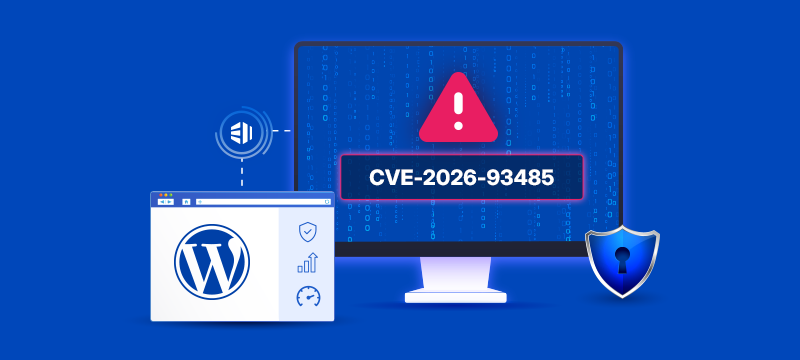
A recently disclosed WordPress Core vulnerability, CVE-2026-93485, is a useful reminder of why keeping the software behind a business website up to date matters just as much as its hosting infrastructure.
The vulnerability is an unauthenticated stored cross-site scripting (XSS) issue affecting WordPress Core. It was addressed as part of the WordPress 7.1.1 maintenance and security release, published on 17 September 2026. WordPress recommends that website owners update immediately.
What is CVE-2026-93485?
CVE-2026-93485 relates to the way WordPress processes certain content through its paragraph-formatting functionality.
Under particular conditions, an unauthenticated visitor could inject malicious script into a WordPress website. The issue is described as a stored cross-site scripting vulnerability and is subject to comment approval in the scenario documented by WordPress.
The vulnerability has been assigned a CVSS score of 7.1, placing it in the High severity category under the CVSS 3.1 scoring system.
Cross-site scripting vulnerabilities can allow attacker-controlled JavaScript to execute in another visitor’s browser. Depending on the circumstances, this can expose information, alter displayed content or enable actions within the permissions available to the affected browser session.
That does not mean every vulnerable WordPress website will be compromised. It does mean that affected installations should be updated rather than leaving an avoidable security weakness in place.
Which WordPress versions are affected?
The issue affects a wide range of WordPress versions.
The latest WordPress release containing the fix is WordPress 7.1.1. Security updates were also backported to older branches, including:
– WordPress 7.0.5
– WordPress 6.9.8
– WordPress 6.8.9
– WordPress 6.7.8
– WordPress 6.6.8
– WordPress 6.5.11
– WordPress 6.4.11
– WordPress 6.3.11
– WordPress 6.2.12
– WordPress 6.1.13
– WordPress 6.0.15
Fixes were also made available for a number of WordPress 5.x and 4.x branches. WordPress notes, however, that only the most recent WordPress version is actively supported. Versions 4.6 and earlier no longer receive security updates.
For most businesses, the safest long-term approach is therefore not simply to apply one isolated security patch, but to keep WordPress on a currently maintained version wherever compatibility allows.
What should WordPress website owners do?
1. Check whether the security update has already been applied
If automatic WordPress Core updates are enabled, your site should receive the relevant security update automatically.
If automatic updates are disabled, you will need to update WordPress manually.
Either way, do not assume the update has been applied. Log in to your WordPress administration area and confirm which version of WordPress Core the website is currently running.
If the site is still on an affected version, install the appropriate patched release.
2. Back up before making significant changes
Before carrying out a manual update, make sure you have a usable backup and understand how the site would be restored if an update causes an unexpected problem.
A backup is only useful if it can actually be restored when needed.
3. Check plugins and themes
CVE-2026-93485 is a WordPress Core vulnerability, but Core is only one part of a WordPress website.
Themes, plugins and other components should also be reviewed and kept up to date. Unsupported software can remain a security risk even when WordPress Core itself is fully patched.
4. Remove software you no longer need
Unused plugins and themes still create code that needs to be maintained and monitored.
Removing unnecessary components reduces the website’s attack surface and makes ongoing maintenance easier.
5. Review how WordPress maintenance is managed
For a small brochure site, keeping everything updated may be relatively straightforward.
For ecommerce stores, lead-generation websites and other business-critical WordPress installations, the operational impact is greater. Updates need to be balanced against compatibility, backup, recovery and availability requirements.
This is where the difference between simply having somewhere to host WordPress and having a properly managed WordPress environment becomes important.
Security is an ongoing process, not a one-off update
CVE-2026-93485 was one of 11 security issues addressed in WordPress 7.1.1. The release also contained fixes covering access control, information disclosure, path traversal and other areas of WordPress Core.
That is normal for widely used software.
The practical lesson is not that WordPress is inherently unsafe. It is that any actively developed platform needs an ongoing process for:
– monitoring security releases
– applying appropriate updates
– maintaining plugins and themes
– creating usable backups
– testing recovery
– monitoring the hosting environment
– understanding who is responsible when something goes wrong
For businesses that depend on WordPress for sales, enquiries or customer services, those responsibilities deserve the same attention as performance and uptime.
Running an important WordPress website?
If WordPress is central to your business and you want a hosting environment designed around performance, security, management and expert support, explore eUKhost WordPress Hosting or speak to our team about the right hosting approach for your website.
The right solution depends on the website, its traffic, plugins, ecommerce requirements and the level of management your business needs.
Suggested sources for publication:
– CVE record
– WordPress 7.1.1 release
– WordPress 7.1.1 version notes