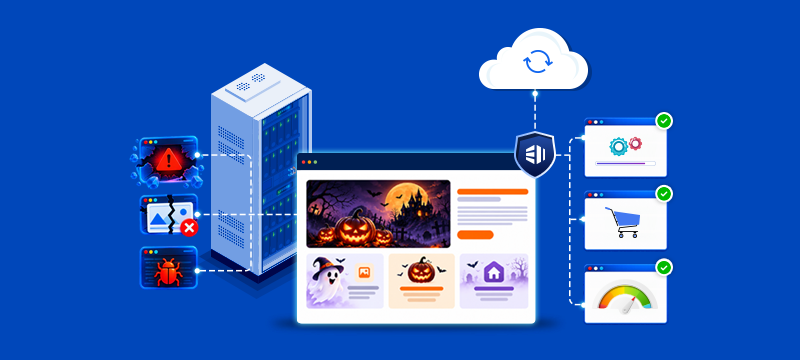
While Halloween is usually associated with legends of ghosts and ghouls, it’s not uncommon for website owners to have a few terrifying tales of their own. An overwritten page, a mysterious phishing email, or an uncanny checkout that sends customers running can all cause nightmares for a business. In the following fictional scenarios, we show how seemingly ordinary mistakes can turn into website horror stories, and give the practical steps you need to stop them happening.
Contents
1. The website update that made content vanish
In preparation for a campaign, a marketing team spends an afternoon updating their website’s service pages. However, when they publish the changes, several key sections of existing content have unexpectedly disappeared. The older version has been overwritten, and nobody is sure what was there before.
Accidental editing and publishing mistakes happen for various reasons. For instance, someone could edit the wrong version of a page, accidentally delete content while modifying a layout or overwrite changes made by a team member.
These errors can be easier to rectify if your CMS stores version histories, while a staging environment provides a safe space to make and review website changes without affecting the live site. If you have a recent backup available, it also means there is a copy to restore from if anything goes wrong.
In general, all website changes should follow a structured process. This will outline who makes the changes, who checks them and who approves publication. This approach reduces the potential for mistakes to reach the live site and makes it easier to identify what went wrong if problems occur.
For more information, read: How to Set Up a Staging Environment with WordPress Hosting
2. The password that opened the door to strangers
An employee uses the same password for multiple online accounts, including the company’s website control panel. When the password gets exposed via a data breach on another account, attackers use it to gain unauthorised access to the business website.
Credential stuffing, where cybercriminals try stolen login details on other accounts, is a common technique for gaining access. One of the best ways to reduce the risk is to ensure users have a different, strong password for every account. Ideally, these should be stored in a reputable password manager.
Multi-factor authentication, meanwhile, puts another obstacle in the hacker’s way, as it requires an additional form of verification, such as a code generated by an authenticator app.
Businesses should also strictly control who has access to their hosting accounts, websites and admin tools. Permissions should only be granted where a role requires them, and accounts should be reviewed regularly so that former employees and third parties have access removed when it’s no longer needed.
3. The Halloween promotion nobody could find
Despite launching a well-planned Halloween campaign with a dedicated landing page, an online store’s sales remain eerily flat. The problem is not the offer, but customers struggling to find it on the website.
Promotions can vanish into the ether if they are hidden inside busy navigation menus or beneath more prominent homepage content. Ideally, campaigns need a well-structured landing page where the offer and call to action are clearly presented, and there should be prominent links to it across the site. If the call to action is unclear, visitors may find the promotion but not know what to do next.
By following the customer journey before launch, businesses can establish whether visitors can easily find the offer, understand the next step and complete the journey effectively on mobiles.
4. The checkout that scared customers away
A frightening scenario for businesses is when customers fill their baskets, proceed to checkout and then disappear. Long forms, unexpected delivery charges or fields that are hard to complete on mobile screens can all scare shoppers away.
To reduce checkout abandonment, these obstacles should be removed. Forms should be straightforward, the full price and delivery information clearly displayed, and customers given payment options that suit their needs.
If you use an e-commerce platform, such as WooCommerce, you can manage and test the purchasing journey before a campaign begins. Testing should cover the entire process, from adding a product to the basket through to payment confirmation. It should also be repeated on phones and tablets.
For more information, read: E-commerce Hosting Essentials for 2026
5. The email that pretended to be someone else
An urgent email that appears to come from one of the business’s suppliers lands in an accounts employee’s inbox. The email asks for an immediate change of payment details. Though the branding and message look convincing, the supplier never sent it.
While phishing, spoofing and business email impersonation attacks rely on urgency, familiarity and convincing branding to pressure recipients into acting quickly, procedures should be in place to prevent this. In particular, employees should be made aware of the risks and verify unexpected payment or account requests using a trusted contact method.
Businesses can also make use of technical controls to protect against these attacks. For instance, SPF identifies a domain’s authorised mail servers, DKIM uses a digital signature to help verify that an email came from the stated domain and has not been altered, and DMARC tells receiving mail systems how to handle messages that fail authentication.
These controls, which can be used with business email hosting, can be set up through the domain’s DNS settings.
For practical guidance, read: How to Set Up SPF, DKIM and DMARC Records
6. The backup nobody had tested
In this scenario, a website administrator mistakenly believes that a backup contains all the data his business needs for a restoration test. However, during the exercise, it soon becomes apparent that recent website changes are missing.
The issue here is that taking backups is only part of a recovery plan. In addition, businesses need to know how often they are taken, how long they are retained, what they contain and, crucially, that their recoverability has been verified. This means carrying out restoration tests from time to time to make sure the required data can actually be recovered.
Businesses therefore need a backup schedule that suits their particular needs. This will depend on how frequently their website changes and how much recent data the firm could afford to lose. Website backup solutions, such as Acronis Backup, where applicable, can form part of an effective recovery plan.
Find out more about Acronis Backup.
7. The website change that went live too soon
When a redesigned section of a website is accidentally published before getting final approval, customers unexpectedly discover unfinished copy, a broken form and a layout that doesn’t work on mobile.
When a business makes changes to a live website, any errors are immediately visible to visitors. The advantage of a staging environment is that teams can create and test updates away from the public eye. Moreover, with an agreed approval process, it becomes clear when a change is ready to go live.
Quality assurance is vital when updating a website. Beyond confirming that the page loads as expected, it should check that forms, buttons and links work, that content is accurate and that layouts display correctly on different screen sizes. A final pre-deployment review should be part of the process to ensure any unfinished changes don’t become a public problem.
Conclusion
Website horror stories should remain in the realm of fiction, and keeping them there doesn’t require a monstrous effort. With careful planning, effective processes and the right digital management tools, businesses can keep these nightmare scenarios at bay.
Looking to minimise the risk of website problems causing business disruption? eukhost provides secure, reliable hosting with website management, backup and support options that help you keep your site running smoothly. Find out more about our hosting solutions.
Author

Related Articles
What Website Visitors Will Expect in 2026: Speed, AI and Trust
8 New Year’s Resolutions for Your Website
Website Performance Checklist for a Strong Start to 2026