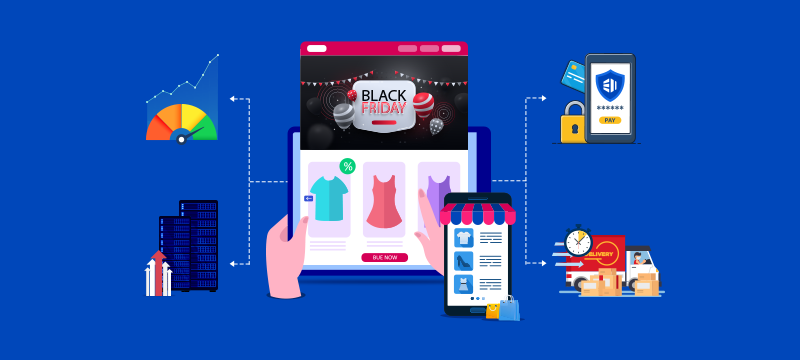
While Black Friday, Cyber Monday and Christmas are some of the best times to drive sales, they also pose the biggest challenges for websites. Shoppers arrive in larger numbers, often en masse, and expect everything to work quickly and smoothly. However, if your pages load slowly or the checkout crashes, visitors will leave, and sales will be lost. To ensure this doesn’t happen, this post explains how to prepare your website for peak holiday traffic without losing speed or sales.
Contents
Plan for higher demand
Internet traffic can increase substantially during peak periods. During Black Friday 2024, it rose by 67%, with some sites seeing a tenfold increase in visitors. When forecasting for your own site, a good place to start is looking at last year’s analytics data. Look at how many visitors arrived during your busiest days and assess how your site performed. If it slowed down or experienced increases in cart abandonment, then there may be issues that need addressing.
You should also consider how things can change this year. If annual traffic is higher, you have introduced new products, launched marketing campaigns or are offering bigger discounts, you may attract far more visitors than last year.
Check that your hosting can cope
If you are expecting more traffic, it is vital that you check that your hosting has the capacity to cope. If your existing hosting plan doesn’t offer you sufficient CPU, RAM and bandwidth resources, your site is at risk of slowing down or even crashing during the most lucrative sales periods.
If your hosting plan doesn’t meet your needs, you should consider upgrading to a larger plan. Many small but growing online stores benefit by upgrading from shared hosting to a virtual private server (VPS). Like a mini-dedicated server, with significantly more storage, CPU, RAM and bandwidth than shared hosting, a VPS is the logical and affordable next step in website hosting.
For more information, read: Why Your Website Needs NVMe SSD-powered VPS Hosting
If you operate a busy e-commerce store with significant traffic, your upgrade options include cloud hosting or a dedicated server. The cloud offers 100% uptime and on-demand scalability to handle high traffic spikes, while a dedicated server provides exceptional performance, significant resources and improved security for sensitive data.
If you decide to upgrade, it is best to do so before the traffic increases to avoid last-minute stress.
Improve website speed
While upgrading will improve the capacity and speed of your hosting, there may be issues with the website itself that lead to slow loading times. This can be detrimental to both your sales and online visibility. Indeed, according to Google, 53% of mobile users abandon a site if it takes more than three seconds to load, and poor loading times can impact how well your site ranks in search results.
Large files, like product images, can significantly impact an online store’s loading times. To overcome this, you should use the latest web formats, like WebP, that retain quality while reducing file size. You can then compress these files to reduce their size even more.
Other helpful ways to speed up your loading times are to implement caching, minimise scripts and delete unnecessary plugins, all of which can make a noticeable difference. If you have a lot of international traffic, you can also benefit from a content delivery network (CDN). These store copies of your site on servers around the world, ensuring visitors always receive website data from the nearest and quickest location.
Learn more about CDNs, read: The Future of CDNs: Faster, More Reliable Websites
Keep checkout simple and reliable
One of the most challenging aspects of peak shopping periods is ensuring customers finish the checkout process. According to Sotpay, the average basket abandonment rate in the UK is about 75–76%. The most common reasons are hidden charges, complicated multi-step checkout processes, lack of payment options and user distraction.
To minimise abandonment:
- Keep the process short and straightforward
- Allow guest checkouts
- Offer payment methods that shoppers trust
- Display delivery costs, times and returns policies upfront
- Send reminder emails to those who leave products in the basket
You should also test your checkout on different devices to make sure it works effectively.
Strengthen security
Busy shopping periods also attract cybercriminals. Attackers will know that your staff are stretched, making it easier for them to exploit weaknesses. It is essential, therefore, to ensure your site, staff and customers are well protected.
Common attacks during peak shopping seasons include phishing and impersonation scams, ransomware, DDoS attacks and automated bot attacks, such as account takeovers using stolen credentials.
To keep your site safe:
- Choose a web host that provides firewalls, intrusion prevention and malware scanning.
- Use a strong email filter, like SpamExperts, to block phishing emails and malware
- Install an SSL certificate to encrypt your users’ personal data in transit
- Ensure strong passwords and implement two-factor authentication
- Enable automatic backups so your data can be restored quickly if something does go wrong.
Need an effective way to back up your data? Read: Website Backups – Why Cloud is the Best Solution
Test and monitor performance
Testing your site is an essential part of the preparations for busy periods. Ideally, you should run load tests that simulate the higher numbers of visitors you expect. This will let you see how well your site responds and identify any weaknesses that need fixing before the real traffic arrives.
Once the season begins, it helps to use monitoring tools that alert you to problems in real time. This will allow you to respond swiftly in case errors appear, your website slows down or crashes. The faster you can respond, the fewer customers are affected. Having 24/7 access to technical support from our hosting provider is vital to help you resolve problems rapidly.
Key takeaways
- Review last year’s performance and build in extra capacity.
- Upgrade hosting if your current hosting plan may not cope with higher traffic.
- Cut loading times by compressing images and removing unused features.
- Keep your checkout short, mobile-friendly and transparent.
- Protect website, staff and customers from cyberattacks.
- Run load tests and monitor performance in real time.
Conclusion
The holiday season can deliver bumper sales for online stores, but only if you have prepared your website in advance. By forecasting demand, upgrading hosting if needed, cutting loading times, keeping your checkout simple, strengthening security and testing thoroughly, you can reduce risks and keep your customers engaged.
Do you need to upgrade your hosting to handle peak holiday traffic? Powered by the latest Intel processors and superfast NVMe storage, our managed VPS hosting solutions deliver all the resources growing online stores need to perform optimally and reliably during busy periods. With 99.95% uptime, powerful security and 24/7 technical support as standard, visit our Managed VPS Hosting page for more information.