
Making your WordPress website mobile-friendly guarantees that users will have a smooth experience on desktops, tablets, and smartphones.
The hundreds of responsive themes available on WordPress are made to automatically adapt layouts to different screen sizes.
Finding, evaluating, and installing a mobile-friendly WordPress theme are all covered in this knowledge base article.
Why Use a Mobile-Friendly Theme?
A mobile-friendly theme guarantees your website:
- Loads quickly on mobile networks.
- Adapts automatically to different screen sizes.
- Provides easy navigation and touch-friendly menus.
- Improves SEO rankings and user experience.
Modern WordPress themes are designed with responsive layouts, meaning you don’t need to build separate mobile versions of your site.
Access the WordPress Theme Directory
- Log in to your WordPress Admin Dashboard.
- Navigate to ‘Appearance> Themes’.
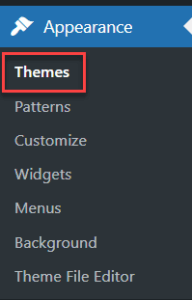
- Click the ‘Add Theme’ button at the top of the page.

You will now be in the WordPress Theme Directory, where you can search thousands of free themes.
Search for Mobile-Friendly Themes & Install
In the search box, type ‘mobile friendly’ to find themes that are optimised for mobile devices. As shown in the image below, you will see several themes such as: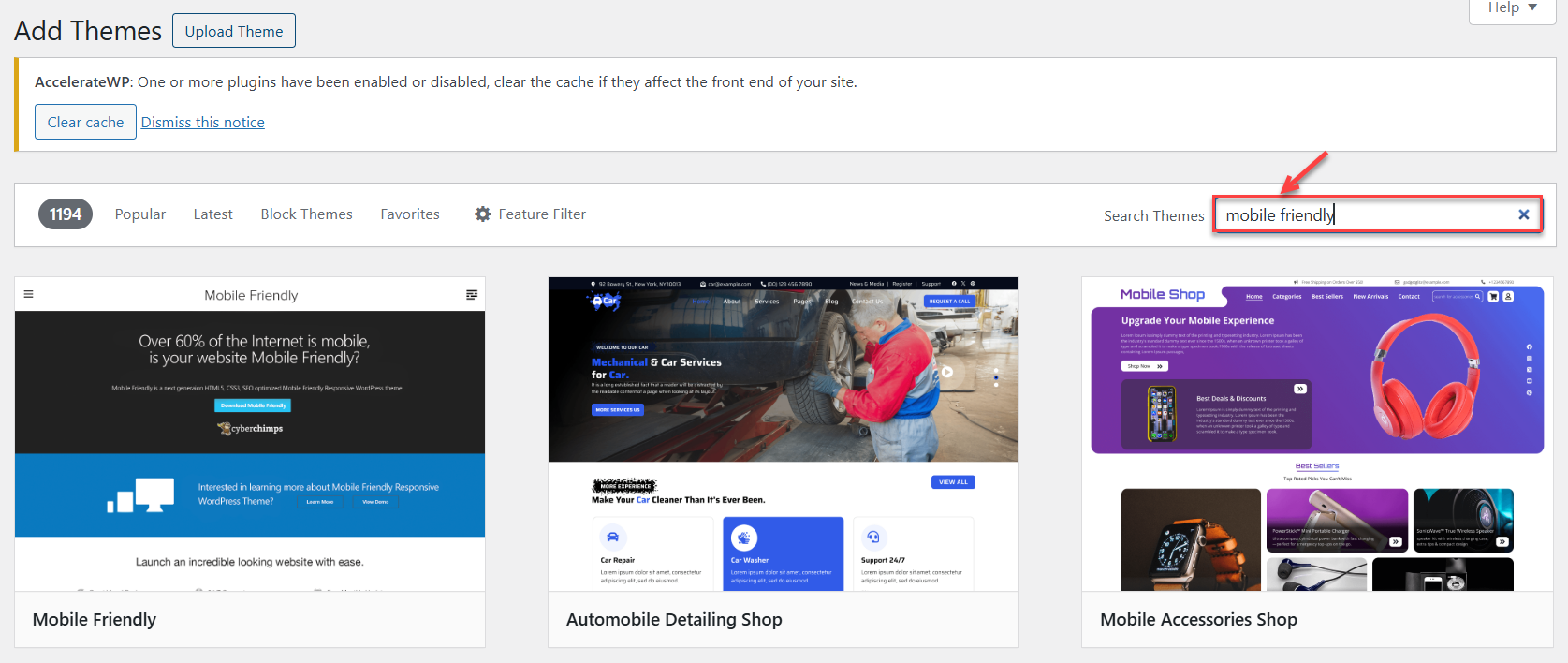
Each of these themes is designed to be responsive, fast, and compatible with various devices.
Test Your Website on Mobile Devices after installation
After activating and customising the theme, test your site to ensure it’s mobile-friendly.
Ways to Test:
-
Customiser Preview: View your site in mobile mode under Appearance > Customise.
-
Online Tools: Test your website on mobile devices using the free tools available online. Physical Devices: Open your website on a smartphone or tablet to check layout consistency, readability, and menu usability.
By installing a mobile-friendly WordPress theme, you ensure your website remains accessible and visually consistent across all devices. Many themes are also optimised for speed and responsiveness, helping enhance user experience while supporting better SEO performance.
Want to explore more themes? Learn How to install a theme from the WordPress repository