
This article explains the process of retaining .htaccess rules after transitioning the PHP handler from Apache to Nginx in Plesk.
Note: Install the .htaccess file using the Nginx Converter extension before proceeding.
Let us follow the steps:
- Log in to Plesk as admin.
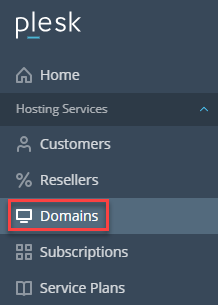
- Select the Domains option.
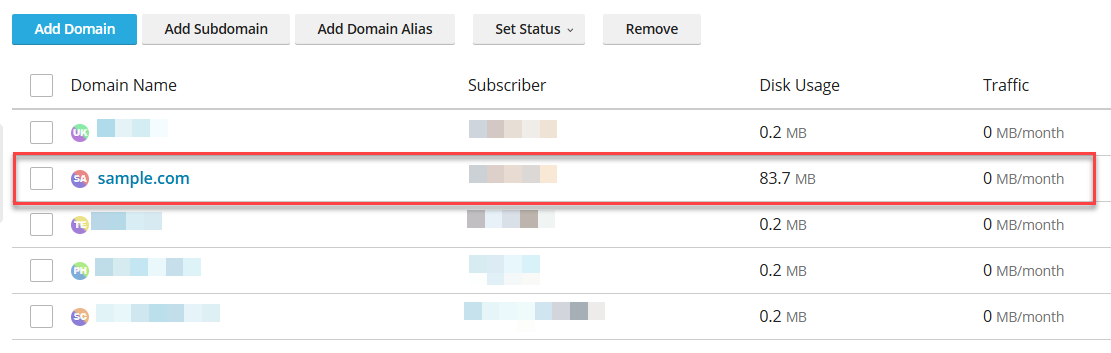
- Select the domain.
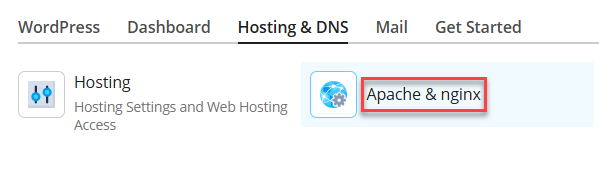
- Then select the Hosting & DNS tab and click on the Apache & Nginx settings sub-option.
- Scroll down until you find the Additional nginx directives option, and click the link.
- Add the content of the .htaccess file and click the Convert to nginx button.
- Click the Ok button to save the changes.

This way, you can preserve .htaccess rules when switching the PHP handler from Apache to Nginx in Plesk. If you encounter any challenges, do not hesitate to contact our support experts.