
This article explains how to remove an Addon domain in cPanel. Removing an addon domain in cPanel helps free up resources, declutter your account, or discontinue hosting for a specific domain.
The following steps can be followed for that purpose:
- Log in to your cPanel account.
- Select the “Domains” option as shown below.

- You will enter a new interface where you can manage different addon domains.
- Select the one you wish to remove and click on the “Manage” button.
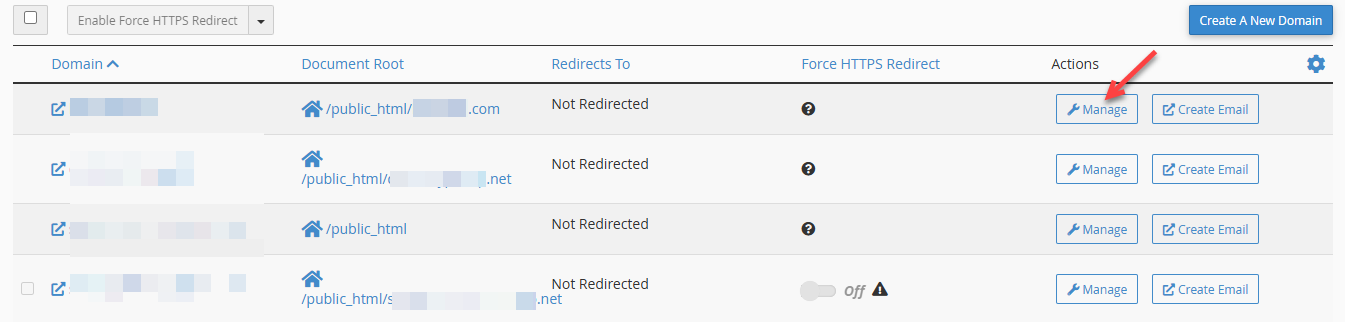
- Click on the “Remove Domain” button.
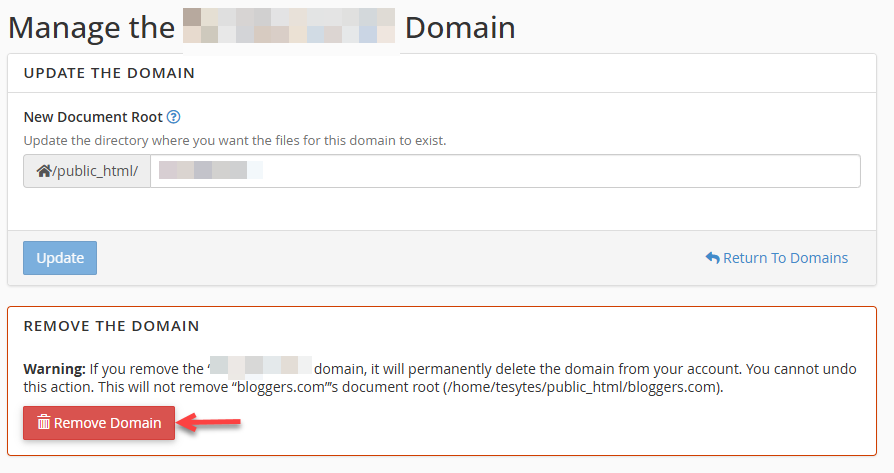
- A confirmation message will appear asking if you want to remove the selected domain.

This way, you can remove the addon domain in cPanel. Wasn’t it easy? If you encounter any issues, feel free to contact our support staff at any difficult moment.