
In this article, we explain how to temporarily disable ModSecurity in cPanel.
Your cPanel hosting account is protected by a strong security system that helps defend against malicious files and hacking attempts. One of these security features is ModSecurity, a web application firewall.
In some cases, ModSecurity may block legitimate actions such as uploading a plugin or installing a script. This is known as a false positive.
If you need to temporarily disable ModSecurity for your domain, follow the steps below:
- Log in to your cPanel.
- Use the search bar and type ModSecurity.
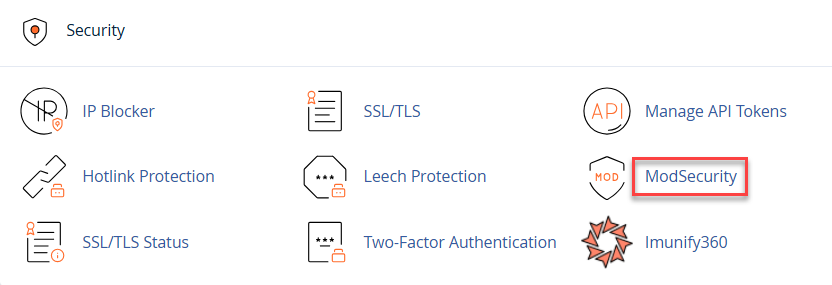
- Click on ModSecurity to view the list of domains.
- Select the Off button beside the domain for which you wish to deactivate security.

- Complete the necessary tasks, and once done, click the On button to reactivate the security.
Note: Leaving your account’s security disabled exposes it to potential attacks and violates our terms and conditions. Make sure to re-enable security once you’ve finished your tasks.
In this way, you can temporarily disable ModSecurity in cPanel. For more information on cPanel, visit our knowledgebase section.
Looking for more about database security? Check out our guide on How to Enable MySQL Database Backups in WHM