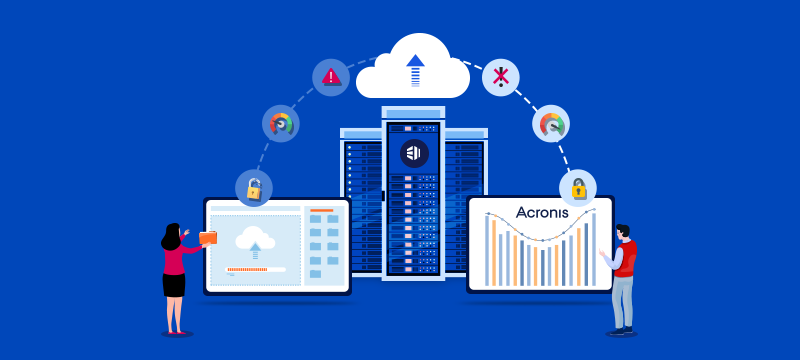
While backups are vital to protect businesses from the risk of data loss, conventional backup methods struggle with the complex IT setups and sophisticated threats we see today. Acronis Backup, powered by Acronis Cyber Protect Cloud, utilises automations, AI-enabled security and the resilience of the cloud to provide faster recovery, stronger protection and easier management. In this post, we explain why Acronis Backup is better than traditional backup solutions.
Contents
- The problem with traditional backup methods
- Cloud-integrated data protection
- AI-powered ransomware protection
- Fast, flexible recovery options
- Backups free from tampering and malware
- Encryption, sovereignty and compliance
- Continuous data protection and scalability
- Easy management and integration
- Key takeaways
- Conclusion
The problem with traditional backup methods
Most traditional backup solutions were designed to work with data that was stored on a single server or network. Moreover, these backups are usually stored on local drives or tapes, require manual management and depend heavily on on-site infrastructure. This setup has several disadvantages for businesses:
- Hardware dependency: Backups are stored on physical devices that can fail, degrade over time, suffer physical damage or be stolen.
- Single point of failure: Backups stored on-site face the same risks as the original data, such as ransomware and physical loss.
- Limited scalability: To expand the capacity of traditional backup solutions, businesses need to purchase more storage hardware. This also increases the admin burden on IT teams.
- Slow recovery: Restoring from local media can take hours or even days, especially after a major outage.
These issues mean businesses could face long periods of downtime while being unable to recover all of their data.
How secure is your system? Read: Essential Security Measures to Protect Your Digital Operations
Cloud-integrated data protection
As organisations now have data spread across on-premises servers, cloud applications and remote endpoints, the need for a unified backup solution has become essential. Acronis Backup achieves this by providing an integrated cloud platform that enables all backup and recovery tasks to be managed using a single online dashboard.
From here, admins can schedule backups, monitor activity and recover data from anywhere. As a result, there is consistent, automated protection across servers, workstations and cloud workloads, including Microsoft 365, Google Workspace and virtual machines.
Furthermore, by storing backups in the cloud rather than on physical devices, Acronis eliminates the need to manually swap backup devices, reduces the risk of data loss, and ensures copies are stored securely offsite.
The platform also lets you combine local and cloud backups. This means businesses can keep a fast copy on-site for quick restoration and have a secure copy in the cloud.
Are you taking full advantage of cloud hosting? Read: 10 Reasons to Migrate to the Cloud
AI-powered ransomware protection
While offline solutions, like tapes, are immune to ransomware, they are slow, degradable and hard to manage. Backups stored on connected systems, however, are at risk. Attackers will often encrypt both live data and backup files, making recovery impossible.
Acronis defends against this with its AI-powered Active Protection feature. This detects suspicious processes in real time, blocking unauthorised encryption or the deletion of data.
Furthermore, if malicious activity is detected, affected files are immediately isolated, and any unauthorised changes are reversed to ensure the backups remain untouched. This level of protection is simply not achievable using traditional backup methods.
AI does more than detect ransomware. Read: How Web Hosts Use AI to Prevent Website Downtime
Fast, flexible recovery options
Being able to recover quickly from disruption is vital to minimise downtime, financial loss and reputational damage. One of the benefits of Acronis Backup is that it enables companies to restore data in the most appropriate way, depending on the situation. For instance, they can opt for:
- Full-image recovery: enables companies to rebuild entire systems quickly after critical failures.
- Granular recovery: restores specific files, folders or mailboxes without downtime.
- Instant virtual machine recovery: lets businesses start a backup as a temporary virtual server, so they can keep working while the main system is repaired.
This flexibility minimises downtime and ensures continuity, even during major incidents. Bare-metal recovery, meanwhile, allows a full system to be restored to a new machine while removing issues with using different hardware.
Backups free from tampering and malware
Acronis is able to protect backups against unauthorised changes by allowing them to be made immutable for a chosen retention period. This means that during that time, the data cannot be deleted, overwritten or altered by anyone, not even admins.
Another important protection is that backups are automatically scanned for malware before restoration. This prevents any infected data from being reintroduced to systems, ensuring the environment remains clean. Again, this is something most traditional systems cannot achieve.
Encryption, sovereignty and compliance
Data protection regulations, like GDPR, require organisations to handle personal data securely, including when stored in backups. Acronis uses military-grade AES-256 encryption for all backups, both in transit and at rest. At the same time, multi-factor authentication and role-based access control prevent unauthorised use.
Acronis allows hosting providers to choose the country in which backup data is stored. At eukhost, data backed up using Acronis is stored solely within UK-based, ISO-certified data centres. This ensures data sovereignty and compliance with GDPR, as your data remains fully under UK jurisdiction.
Acronis also provides comprehensive audit logs and reporting, which simplifies compliance by ensuring you have a clear record of backup activity for regulators.
Continuous data protection and scalability
The rate at which some businesses update data means that they need continuous backups to ensure they can achieve recovery point objectives in case of a disaster. Acronis’s Continuous Data Protection feature allows backups to take place in real-time, enabling data to be restored right up to the point incidents occur.
The platform also offers scalability, enabling businesses to expand their cloud backup storage as their data needs grow. This avoids the need to purchase expensive hardware while preventing issues caused by low capacity. Subscription pricing also means costs are predictable.
Easy management and integration
Acronis makes managing your backups easy. Using its cloud-based console, you can schedule backups, monitor activity, and restore data across different servers and systems, all from one place. This gives you complete visibility while removing the need for separate tools for each environment.
Acronis also integrates directly with cPanel and Plesk, allowing website owners to manage their backups, retention policies and restorations from within their control panel.
Key takeaways
- Faster recovery: Acronis restores files, servers and systems in minutes, reducing downtime.
- Built-in ransomware protection: Integrated AI detects and blocks attacks before they reach backups.
- Secure, tamper-proof backups: Data is encrypted and protected from unauthorised changes.
- Simple management: A single dashboard automates scheduling, monitoring and recovery.
- Flexible storage: Choose where backups are kept and scale capacity as data grows.
Conclusion
Traditional backup methods are not suitable for today’s complex IT systems and are ill-equipped to defend against the latest cyberattacks. Acronis Backup, in contrast, provides a unified, cloud-based solution that provides robust protection, hassle-free automation and high-speed restoration. When data is stored in UK data centres, this makes it the ideal choice for a reliable, compliant and easily managed backup solution for UK businesses.
With Acronis Cyber Protect Cloud from eukhost, you can back up data both within our hosting environment and from external servers, cloud platforms or local systems. Whether you need to protect a single website or create a unified backup strategy across multiple environments, Acronis provides the flexibility, security and speed you need. For more information, visit our Acronis Backup page.