
WHM (Web Host Manager) allows server admins to manage security settings, including blocking unwanted or malicious IP addresses. In this article, we explain how to blacklist an IP address in WHM to help prevent unauthorised access and improve server security.
In this article, we will guide you through the process of blacklisting an IP address in WHM.
Steps to blacklist an IP in WHM:
- Log in to WHM as the root user.
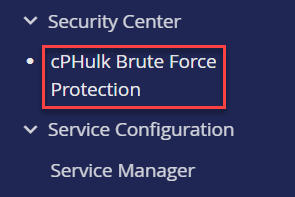
- Select the cPHulk Brute Force Protection option from the left-side menu.
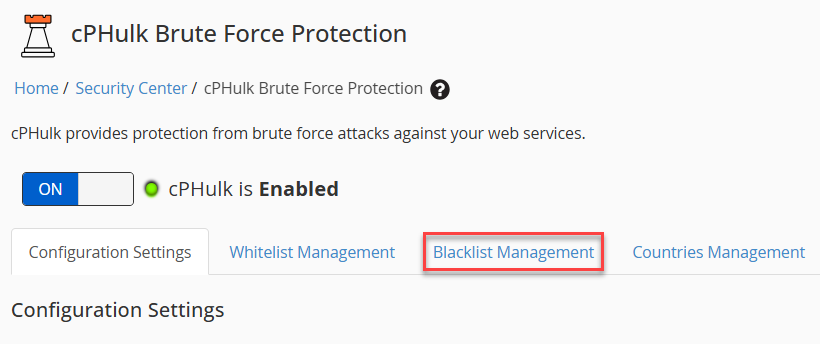
- Choose the Blacklist Management tab.
- In the New Blacklist Records block, enter the IP addresses to be blacklisted. Each IP should be on a new line. You have the option to include a comment with each IP address. For example:
IP address#Comment for IP address
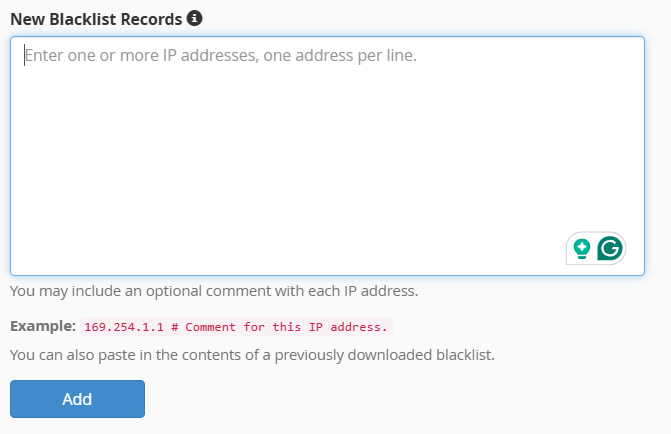
- Click Add, and the IP will be in Blacklist.
This concludes the guide on blacklisting an IP address in WHM. You can now block specific IPs to enhance your server’s security.
After blacklisting, learn How to Add a New IP Address in WHM