
Securing your WordPress website with HTTPS is essential for protecting user data, improving SEO rankings, and building trust with visitors. One of the easiest ways to force HTTPS is by updating your .htaccess file. This guide provides a step-by-step process that has been tested and verified.
Precautions Before You Begin
- Backup your .htaccess file before making changes.
- Verify that your WordPress website has a valid SSL certificate installed.
- Editing .htaccess incorrectly can cause site errors, so follow the steps carefully.
Step to redirect HTTP to HTTPS in WordPress
Step 1: Access Your WordPress Files
- Log in to your cPanel or use FTP to access your website files.
- Go to your WordPress installation’s root directory, which is typically public_html.
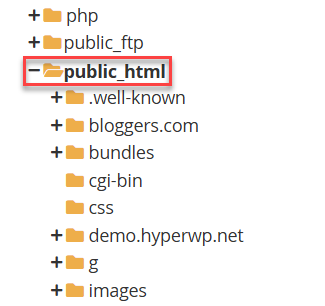
Step 2: Locate the .htaccess File
- Find the .htaccess file in the root directory.
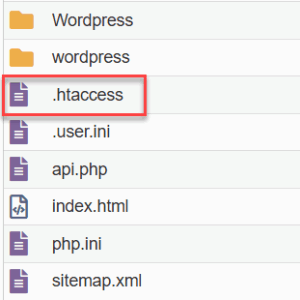
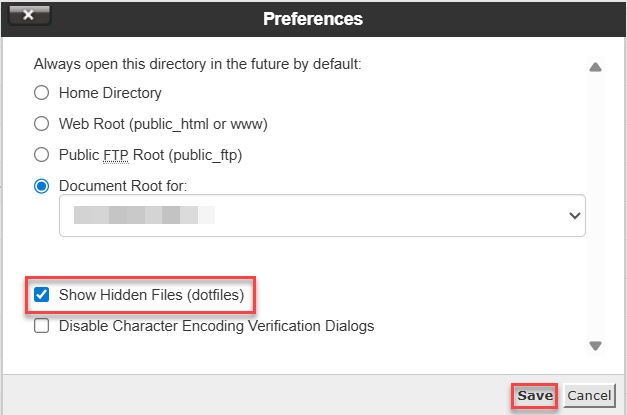
- If it’s not visible, enable “Show Hidden Files” in cPanel or your FTP client.
Step 3: Add HTTPS Redirect Code
- Open the .htaccess file in edit mode.
- Add the following code at the top of the file:
RewriteEngine On
RewriteCond %{HTTPS} off
RewriteRule ^(.*)$ https://%{HTTP_HOST}%{REQUEST_URI} [L,R=301]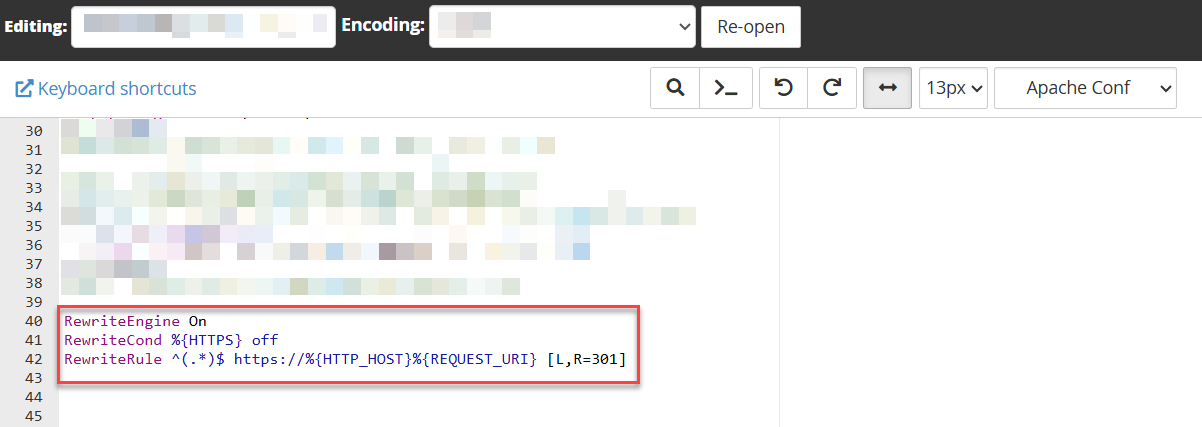
- Save the changes.

Step 4: Verify Your Site
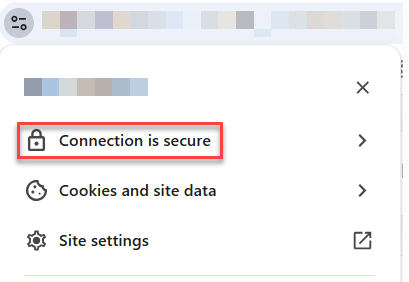
- Visit your website and check for the padlock icon in the browser address bar.
- Test a few pages to ensure all URLs redirect to HTTPS.
Troubleshooting Common Issues
- 500 Internal Server Error: Check for syntax errors in .htaccess.
- Mixed Content Warnings: Update links to images, scripts, and CSS to HTTPS.
- Redirect Loops: Ensure no conflicting redirect rules exist in .htaccess or plugins.
Conclusion
The full WordPress website has now been switched to HTTPS. If you use .htaccess, all visitors will be immediately redirected to the secure HTTPS version of your website. To ensure complete security, update internal links and verify SSL regularly.
Curious about how redirection works? Learn How does a website is redirected from HTTP to HTTPS