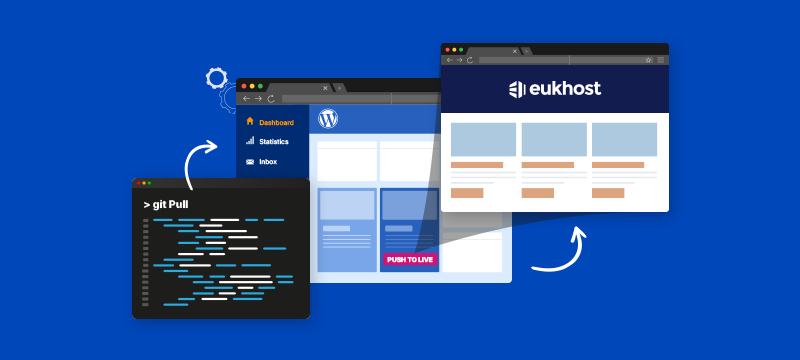
Manual patching, complex staging setups and plugin conflicts are all issues that can delay the development of WordPress websites. In this post, we look at how hosting features like SSH, Git, WP Toolkit and built-in staging help streamline coding, testing and deployment and remove many of the onerous hurdles developers face.
Contents
Tools that make development faster and safer
Speeding up development isn’t just about having faster servers; it’s about removing barriers to your workflows. Developers need secure ways to deploy code, test safely and manage changes across different websites, without having to waste their time on manual uploads or configuration issues.
SSH and Git access, included with eukhost’s WP Shared Pro and WP Dedicated plans, give developers the flexibility to manage code changes, run tasks remotely and use the tools and methods that best suit their way of working.
With Git, you can easily test and roll back changes without using the dashboard or manually uploading files. SSH access, meanwhile, allows you to run WP-CLI commands, manage file permissions, carry out migrations or securely deploy scripts.
For example, if you’re rolling out a custom theme update across multiple sites, SSH access and Git integration let you push updates consistently and safely, without relying on manual edits in the WordPress admin.
If you are working on new features or plugin updates, eukhost’s integrated cloning and staging tools let you create test environments instantly. From the WP Toolkit dashboard, you can clone a site, test changes in isolation, and sync them back to the live site without affecting existing content.
Importantly, you can also take a snapshot before making changes, so if anything goes wrong, you can quickly roll the site back. This can be especially helpful if you are working on a live site.
WP Toolkit also includes:
- A plugin and theme manager for bulk changes across sites
- Maintenance mode
- One-click hardening options for improving WordPress security
- A single dashboard for oversight of all your projects
Together, these tools cut down the time spent on admin, enabling you to manage more sites with less hassle.
Problems with storing your projects? Read: 6 Ways Web Developers Benefit from Cloud Storage
Built-in performance and protection
Most WordPress sites rely on plugins to boost performance, but eukhost WordPress Hosting comes with AccelerateWP, a suite of performance-enhancing tools built directly into the control panel.
These include:
- Static full-page caching: speeds up loading for repeat visitors
- Mobile-optimised caching: ensures responsive speed on all devices
- Pre-caching and HTTP/2 push: improves initial page render times
- Lazy loading and code minification: removes unnecessary page weight
- Database cleanup and cron job control: keeps test environments running smoothly
One of the benefits of these tools is that, if you’re testing whether a plugin is slowing things down, they make it easier to spot the difference, without needing to install additional performance plugins just to run tests.
Additionally, the ability to manage cron jobs within the Toolkit helps prevent slowdowns during testing and the built-in compression speeds up loading by reducing image file sizes without affecting quality.
Security can also be time-consuming for developers, especially if you are managing several sites. To help with this, eukhost WordPress Hosting includes a range of built-in protections, including:
- Imunify360 firewall – automatically blocks threats
- Daily malware scans – spots issues quickly
- WordPress vulnerability checks – scans for known risks
- Brute force protection and 2FA – strengthens login security
- One-click hardening options – instantly applies best security practices
WordPress Hosting plans also include Smart Updates, which takes care of core and plugin patching, as well as the ability to test sites for compatibility with newer PHP versions before making the switch. Moreover, daily backups are stored for 30 days, and restoration can be done in just a few clicks, significantly reducing recovery time.
Generate more business by hosting client websites. Read: Guide to Making Money With Reseller Hosting
A platform designed to support your workflow
For developers working on multiple sites, repetitive admin tasks can take up time that should be spent on coding. WP Toolkit simplifies admin by offering a single dashboard from which you can quickly update plugins, manage security settings and apply changes across different sites in bulk. Moreover, with maintenance mode, theme management, and cloning tools all built in, you’ll have less need for plugins or workarounds.
These features are available on WP Shared Pro and WP Dedicated plans. WP Shared Pro includes everything most developers need to work comfortably across a range of projects, including client sites and online stores. If you’re working on something more demanding, like a multisite setup or a heavily customised platform, WP Dedicated gives you more resources and control to support that kind of build.
WP Shared Pro includes NVMe drives, while the dedicated servers use enterprise SSDs in RAID. Both options include WP Toolkit, AccelerateWP, 24/7 technical support and all the other tools mentioned above.
Discover how we’re using AI. Read: The Benefits of AI-Powered Managed WordPress Hosting
Conclusion
Many of the issues that slow developers down, such as manual patching, plugin conflicts and managing multiple complex environments, can be avoided with the right hosting. Managed WordPress Hosting takes care of routine maintenance, while features like SSH access, Git integration, staging tools and performance optimisation are already built in, enabling you to spend more time coding and less time dealing with admin and fixing problems.
Find out more about eukhost’s developer-friendly WordPress Hosting. Check out our WP Shared Pro and WP Dedicated plans.